
Blue Screen error or Stop error appears unexpectedly and it is the most severe error encountered in Windows. These errors are usually hardware or related to drivers. It is a very annoying problem but not difficult to solve. So know here how to fix the ACPI_BIOS error in Windows 10.
The ACPI_BIOS_ERROR blue screen error appears during program installation, or while Windows drivers are being loaded or during Windows startup or shutdown. It can be caused due to various other reasons below check out the reasons behind the error.
Reasons of ACPI_BIOS_ERROR Blue Screen Error:
- Due to wrongly configured, old, or corrupted device drivers.
- Due to corruption in Windows registry from a recent software change.
- Corrupted Windows system files or OS related files due to Virus or Malware infection.
- Driver crash after installing new hardware.
- After installing software or drivers related to Windows OS.
- Error 0xA5 blue screen caused by damaged hard disk.
- ACPI_BIOS_ERROR STOP error due to memory (RAM) corruption.
ACPI_BIOS_ERROR blue screen errors can be caused due to the variety of hardware, firmware, driver, or software issues.
Steps to Fix ACPI_BIOS Error Blue Screen Error:
Step 1: Automatic Startup Repair from Windows 10 Setup Disk
In Windows 10 it is activated automatically, but it may happen sometimes it is not activated automatically, so follow the manual process.
- Very firstly you need a bootable of Windows 10 installation DVD or USB.
- Insert the disk, restart the PC and wait for it to boot.
- As it boots, click Next

- After clicking Repair your PC

- Click Troubleshoot

- And click Advanced Options

- Click Startup Repair

- Now follow the instruction to complete the process and you should have Windows 10 booting again occasionally.
Hope this will help you to fix the error but if not then follow step 32
Step 2: Try to start Windows in Safe Mode, if it does not load normally:
- First of all insert the disk, restart your PC and wait for it to boot.
- After finishing booting, click Next
- And click Repair your computer
- Click Troubleshoot
- Click Advanced Options
- Now click Startup Settings
- After that click Restart on the bottom-right.
- As it restarts, select a type of safe mode. It is recommended to use the internet in Safe Mode with Networking.
Step 3: Update the BIOS Driver to Fix the ACPI_BIOS_ERROR
As Windows 10 start in safe mode, install the BIOS driver to fix the ACPI_BIOS_ERROR. It can do it by visiting computer manufacturer’s website and as you find it download the BIOS driver and install it on your PC. This step will help you to fix the error.
Step 4: Automatically Fix Error:
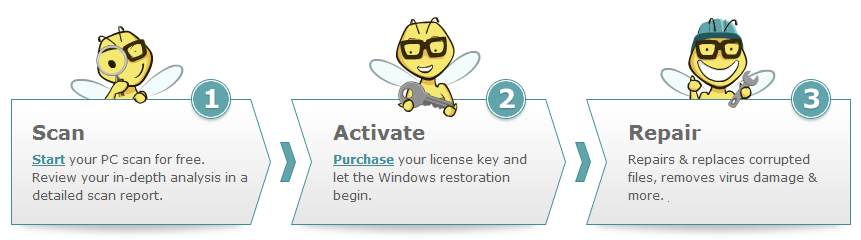
Last but not the least you can make use of the Windows PC Repair Tool; it is the best tool to fix any type of Windows error. The manual steps are not easy to perform as a mistake can damage your entire system. So why not go for an easy and automatic solution that repairs your PC without any hassle. It is specially designed to fix all types of Windows related issues like Registry errors, DLL errors, Application errors, slow PC performance and many others. It is easy to use, the only user needs to download and install it on the PC, it automatically scan the PC and fix all the issues presented in the Windows OS.

Conclusion: That’s all.. you may follow the manual solutions to fix the error but as said above these are quite risky and difficult so make use of the Windows PC Repair tool. It not fix the error but also makes your run smoothly and increase your Windows PC performance just by scanning once.