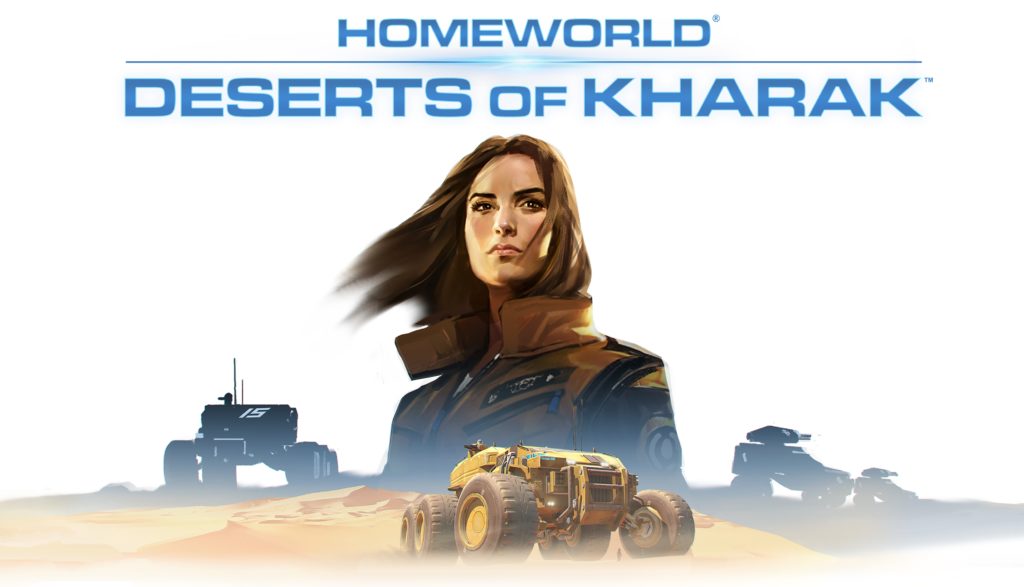
Are you a Homeworld Deserts Of Kharak game lover and facing issue while playing this game? To play it without any trouble just have a look over its commonly encountered issue along with their fixes.
Homeworld: Deserts of Kharak was the latest game released on Steam and the game has got many good reviews but some of the users are also found reporting about some errors and bugs with the game. This game is a ground-based RTS prequel to the classic Homeworld game. This is the most anticipated game but later this bogged down by crashes, errors, bugs that make the game unplayable.
Some of the common errors reported by the players in the Homeworld: Deserts of Kharak game is it start crashing; Freezing, Lag, Low FPS and some other minor bugs. So, in this article get the best solution to fix the error and even boost the game to play it with ease.
Homeworld: Deserts of Kharak Minimum System Requirements
- CPU: Intel Core i3-2100 3.1 GHz or AMD APU A10-5800K Quad-Core 3.8 GHz
- GPU RAM: 1GB Video Memory
- GPU: GeForce GT 440 or Radeon HD 4890
- DX: DirectX 10
- OS: Windows 7 32-bit
- RAM: 3 GB System Memory
- HDD: 8GB Available Space
Read more:
Homeworld: Deserts of Kharak Recommended System Requirements
- CPU: Intel Core i7-950 3.06GHz or AMD FX-4300 3.8GHz
- DX: DirectX 11
- OS: Windows 7 64-bit
- GPU: Nvidia GeForce GTX 770 or AMD Radeon HD 7770
- RAM: 8 GB System Memory
- HDD: 12GB Available Space
Check out all these Deserts of Kharak system requirements, whether it well matches with your PC or not. Because most of the time it is observed that several of the game issue is due to insufficient system requirement.
Solution to Fix Homeworld: Deserts of Kharak Errors:
1) Homeworld: Deserts of Kharak start Crashing:
Many users are found complaining about this issue, the players are unable to start the game or the game randomly crashes during playing the game. So to fix the annoying issue follow the solution:
Solution: To fix this assure that you are using the dedicated GPU not the integrated GPU. To fix the start up crashes first “Verify Integrity Cache” from the Steam as the game had some files missing after the installation.
2) Homeworld: Deserts of Kharak Lag issue:
Some players reported that they are facing the Lag issue while playing the game. So follow the given follow the solution that helps a player to fix this problem.
Solution: Restart your Wi-Fi/Lan, this simply help various players to solve the lag problem.
3) Homeworld: Deserts of Kharak Low FPS:
Some of the players get the low FPS and FPS drops problem. And due to this, the game doesn’t work well with the overlays or background apps. So, to fix this problem follow the solution:
Solution: To fix the problem you need to close the Fraps, Steam overlay, antivirus and any other background apps installed.
Make use of the Game Booster to play the game flawlessly and without any error. This will also boost the game and helps the user to play game without any error

4) Homeworld: Deserts of Kharak Mission Bug:
When players face this problem they get stuck during the missions. So follow the simple solution given below.
Solution: Generally user gets this bug problem in Mission 3 and 4, so just restart the game to fix this problem.
HAVE A LOOK:
7 Tricks to Fix Game Crashes after the Creators Update in Windows 10
5) Black of black screen in the Homeworld: Deserts of Kharak
Well this black screen problem is caused due to GPU. So, please make a check whether your video card meets the minimum requirements or not. Also install the latest drivers. Sometime this issue occurs because of the lack of CPU Performance.
If everything is fine with your hardware and well matches with the minimum requirements. Try to switch to another Window (ALT + TAB), after then return to your game screen.
6) No sound in Homeworld: Deserts of Kharak
First of check whether your system sound works for other applications. Now check for the sound whether it is turned off in the settings of the game, or whether the right audio playback device is selected that is connected with your speaker or headphone.
After then check volumes in system mixer, this can be turned off there. But if you are using an external audio card then please check for new drivers at the manufacture’s website.
If still the problem persists then you must run the professional Driver Booster to resolve any of your PC’s driver issues.
Recommended Option:
Sometimes user faces various problems in the game due to internal errors in the PC. So, it is suggested to scan your PC with the professional Windows Repair Tool.
As this tool is quiet efficient to fix unstable window OS components, like registry, junk files and much more. Besides that it also boost up your PC performance with 100% stability.
Wrap Up:
Hopefully, you must have achieved the best ways to resolve Deserts of Kharak Game issues and errors. So, just try out the fixes mentioned above and enjoy playing your game without any issue.